
Map design demonstration · Osaka, Japan
Osaka Castle Park · Building outlines
A Japanese map demonstration of Osaka Castle Park organized around its moats, park paths and building outlines.
Building outlines · Japanese
Reviewed:
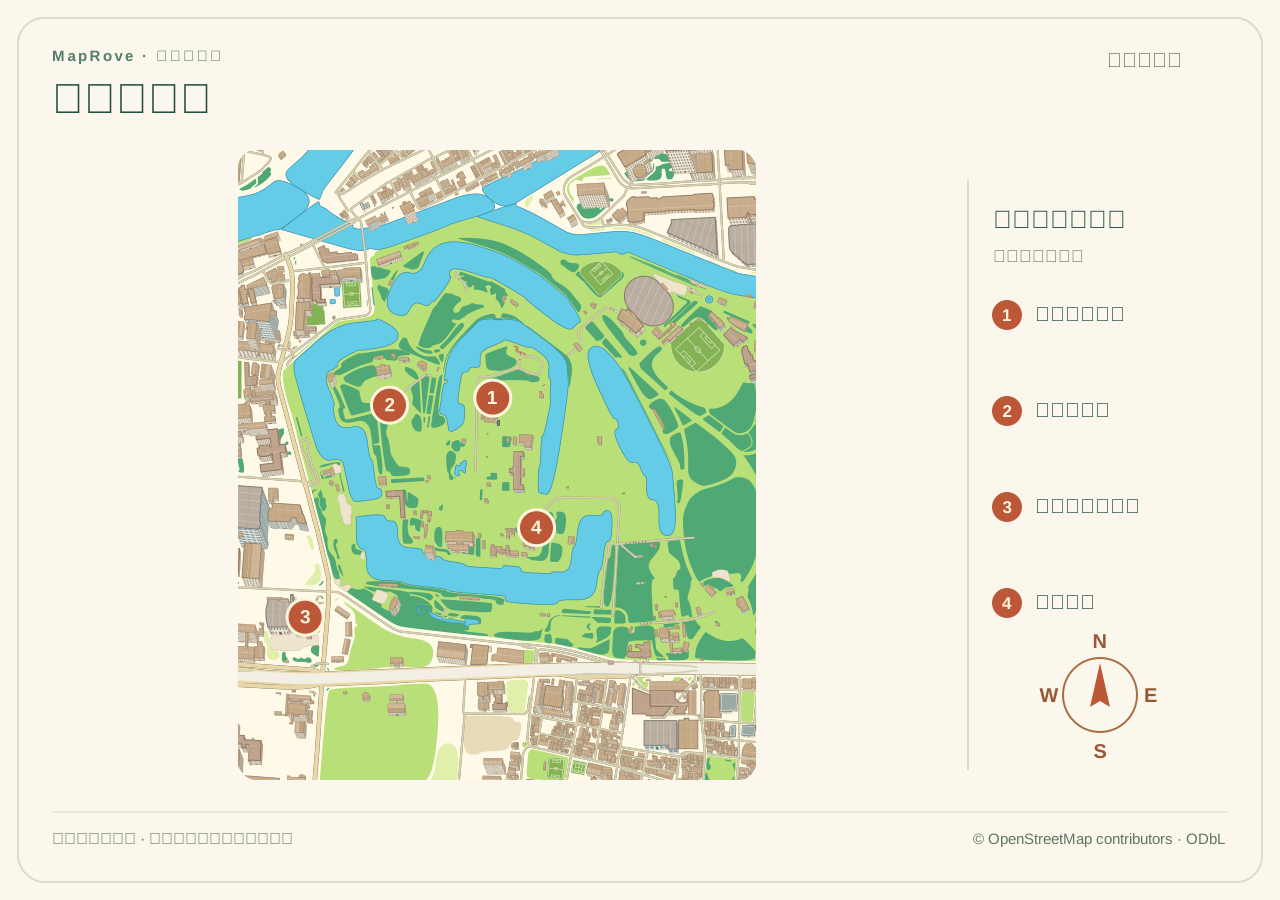
This is a map design demonstration, not a client project or an official visitor map. Building artwork is stylized and cannot be used to measure dimensions. Verify paths, names and access information before using a map for visitors.
Image credits and usage
MapRove; geographic data © OpenStreetMap contributors
MapRove (map design); © OpenStreetMap contributors (geographic data)
These images are shown as design examples. Viewing or downloading an example does not grant permission to republish it or use it commercially. Contact support to confirm the permissions needed for your intended use. Geographic data and third-party materials remain subject to their own attribution and licensing terms.
What does this example show?
- Local-language labels and a numbered legend connect names with map positions.
- Paths, water, greenery and building outlines describe the selected area.
How it was made & the artwork file
This demonstration was prepared offline using public OpenStreetMap geometry and the platform base-map renderer. Names and a numbered legend were arranged separately; the building-illustration edition uses original stylized vector artwork. It is a public design file, not a visitor board installed on site.
The full design file for this example is SVG; the page uses a WebP preview. Open the SVG to inspect the map and legend at a larger size, and check fonts and final dimensions before production.
The editor offers SVG, PNG and PDF exports under plan entitlements. This page links to the existing demonstration artwork. A preview image is not an editable project and does not automatically include every export format.
View plans & export entitlementsCreate a similar map
1. Select an area and review the base map
Create a map, search for a place and select an area. Review paths, water, bridges and entrances in the base map, adding missing content from verified site information. Initial map creation does not automatically run AI arrangement.
2. Choose building and label treatments
Retain building outlines first and move longer names into a legend or supporting details. Prioritize entrances and services, and check that names match on-site information.
3. Save and inspect the export
Save the editable project and choose an export format available under the current plan. At the final display size, check names, orientation, legends, entrances and attribution before preparing print or online use.
Sources & scope
The visitor information below can help verify names and access. It does not imply endorsement or a commission from the attraction. The geographic base uses OpenStreetMap data; preserve the map attribution.