
Waterfront Trail Map Maker | Riverwalks & Lakeside Paths
A waterfront greenway visitor map centers on continuous trails, entry points along the route and cross-river connections, so visitors can understand where to enter, how far they can walk and how to exit. During production, verify trail gaps, bridge access rules and management boundaries — adjacent shorelines do not always mean two greenway sections are connected.
MapRove product guide · Updated
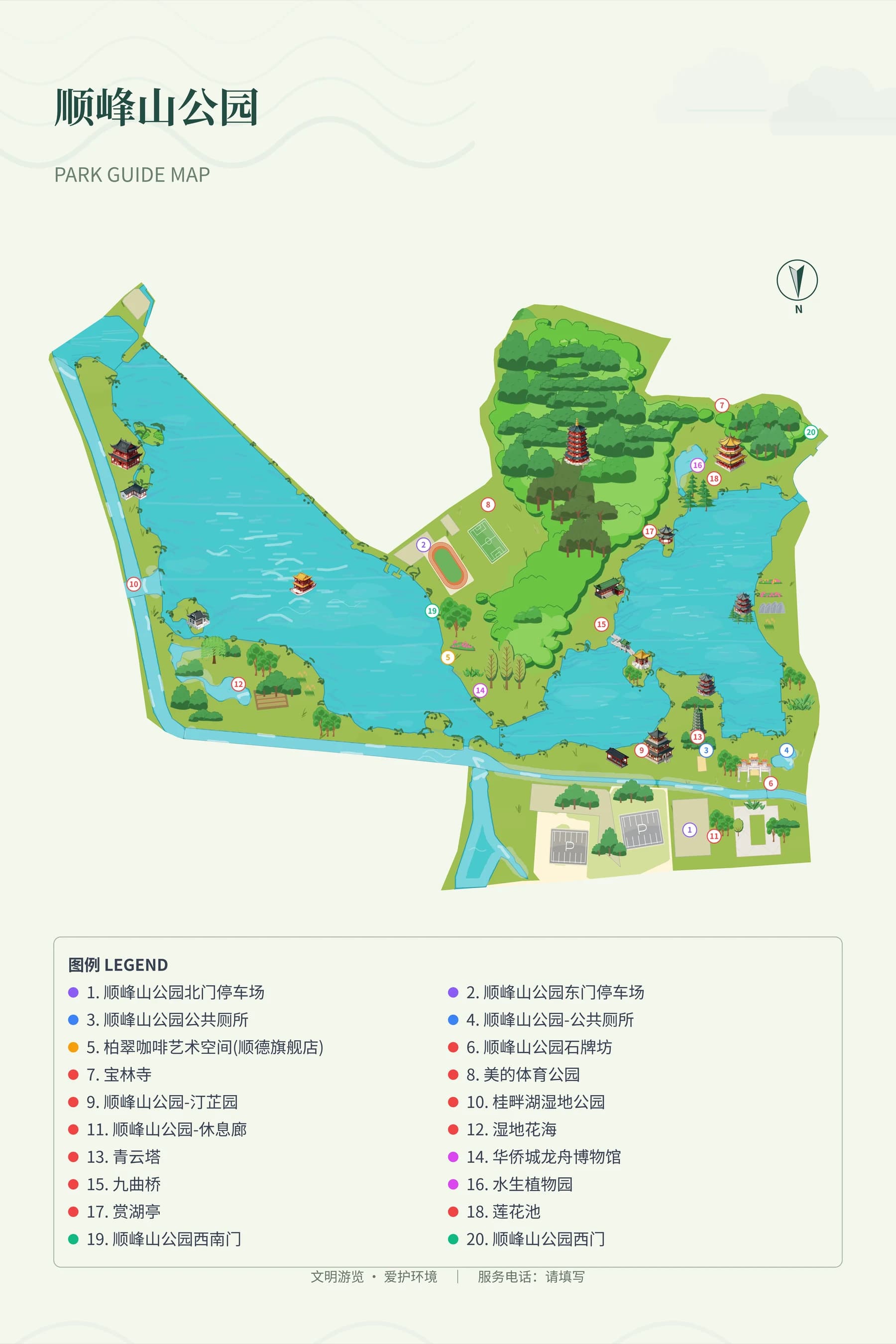
How do you choose the scope for a linear greenway map?
The overview map keeps the full route and main segments, while entry signs add surrounding streets and transfer points. Long riverside trails can be split by bridges or rest stops, with segment connections noted on the map — avoid shrinking an entire river into a long graphic where details become unrecognizable.
How do you distinguish between bridges, top-of-embankment paths and shoreline trails?
Verify every cross-bridge connection and embankment access ramp one by one, and distinguish between top-of-embankment roads, shoreline trails and maintenance-only access paths. A bridge with a paved deck does not mean you can access it directly from the greenway; entry ramps and stairs must all be confirmed on site before being marked.
What service points does a riverside park map need?
Select stable restrooms, rest areas, drinking water points and public transit connections, and keep their official names. Night lighting, cycling conditions and water level impacts follow management authority data — do not assume 24-hour access or full-route cycling just because a riverside section appears continuous.
How do you set the orientation for lakeside trail wayfinding signs?
Each sign must have an accurate current location and facing direction, and clearly state which nodes can be reached clockwise and counterclockwise. Use separate frames for the full lake overview and nearby detail views, check legend and scale presentation, and update all trail-side maps whenever open sections change.
Frequently asked questions
What software do you use to draw greenway visitor maps?
You can use MapRove to create a base map of the trailside area, then add labels for entry points, rest stops and segments. Long routes can be edited and laid out in sections; before delivery, cross-check segment connections and management authority opening information.
Can riverside trail map templates be used directly?
You can reference the layout of segment maps, entry maps and legends, but the actual shoreline, bridge positions and access points must be redrawn. Road connections in templates cannot be treated as local access information.
Can you directly mark the time to complete a full loop on a lakeside route map?
Verified mileage, travel mode and time estimation basis are required. Detours, temporary closures, rest stops and different walking speeds all affect travel time — you cannot infer actual duration from the graphic perimeter alone.
How do you show temporarily closed areas on a waterfront map?
Keep stable segment numbers on the main map, and clearly state closed areas in the latest version and on on-site entry notices. Older wayfinding signs may remain in use, so management should arrange on-site reminders or replacements.
Related map design workflows
- Park, Garden & Botanical Map Design
- Cycling Route Map Maker | Rural Rides & Greenway Guides
- Wayfinding Maps & Visitor Signage