
Wetland Park Map Maker | Boardwalks & Birdwatching Routes
A wetland park visitor map must clearly distinguish open water, accessible boardwalks, birding spots and restricted protected areas. Before you start, confirm open routes and seasonal changes with the park management, then edit using an accurate base map of the site. Paths that appear connected near water on imagery may not be passable — never design a route by connecting lines from satellite imagery alone.
MapRove product guide · Updated
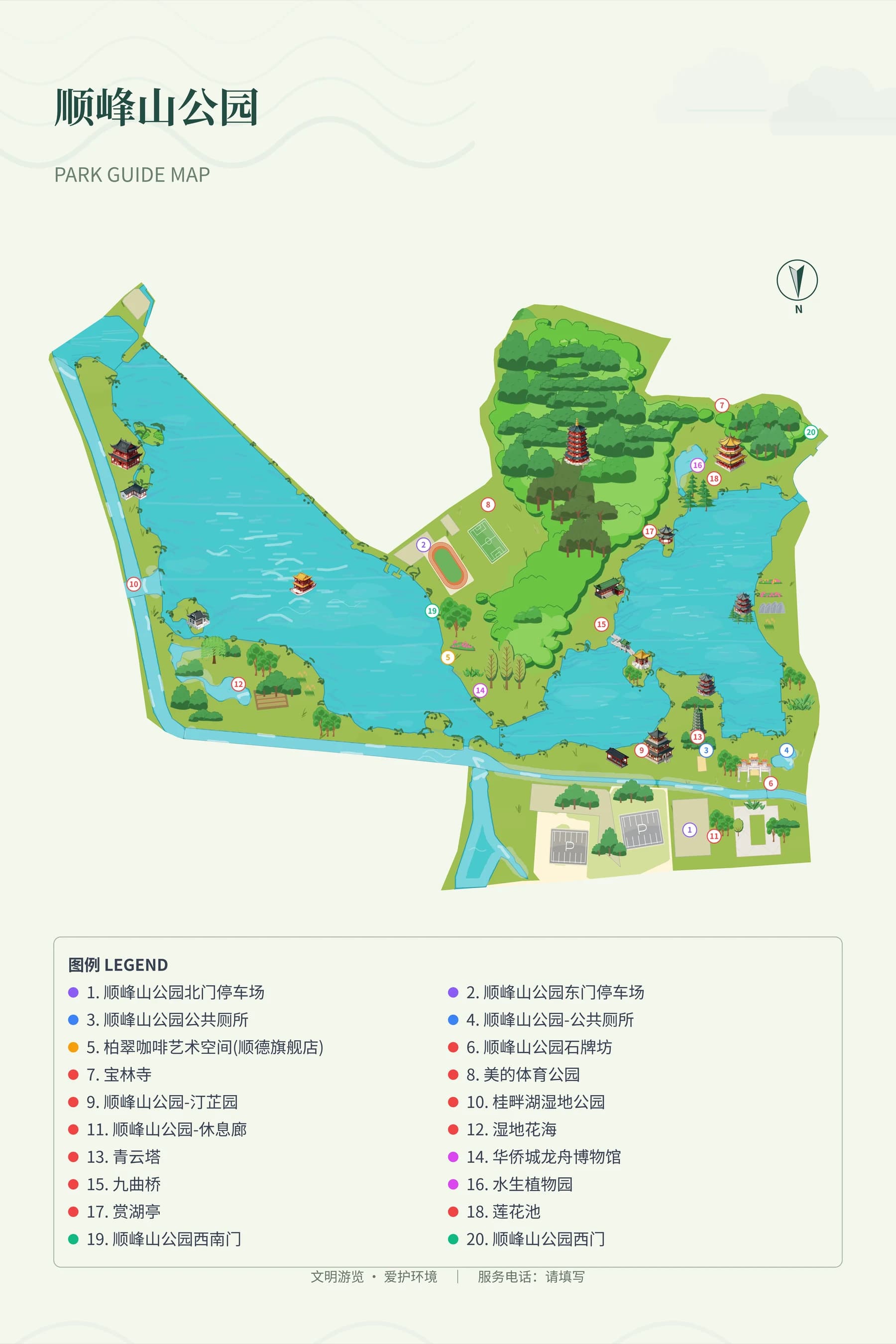
How do you show boardwalks and water systems on a wetland map?
Keep the main water bodies and shorelines, and mark open boardwalks and bridges with a clear line style, verifying every connection. Viewing platforms must match their actual access points. Separate boat routes, patrol paths and visitor walking trails in your labeling, and never present maintenance access routes as visitor shortcuts.
How do you choose which birding spots and ecological protected areas to show?
Only label birding facilities and education points that the management confirms are open to the public. Do not disclose sensitive breeding sites or direct visitors into protected areas. Use management-approved information for bird species, best viewing seasons and reservation requirements. The map does not guarantee that a specific bird will be seen on any given date.
What needs to be updated after the rainy season and water level changes?
Assign stable IDs to permanent facilities, and use separate operational markers for closed boardwalks, seasonal entrances and temporary detours. Before the rainy season begins, check all routes against on-site park notices. Passage information after water level changes is maintained by the park; water boundaries shown on the map are not a reference for actual water conditions.
How do you lay out wetland wayfinding signs for clarity?
Build the reading order around entrances, loop routes and return paths. Use the legend to distinguish between dirt trails, boardwalks and service facilities. Choose easily distinguishable colors for green areas and water, and make sure decorative plants do not obscure narrow bridges. Reference park images are for comparing visual hierarchy only; each actual wetland site must be mapped independently.
Frequently asked questions
Do I need to draw every water channel on a hand-drawn wetland park map?
Keep the main water bodies, shorelines and visitor-accessible connections that help with orientation. Small water channels should not crowd out boardwalks and entrances. Always verify the actual geographic extent of the site.
Can wetland walking routes be auto-planned?
Base maps and editing tools can help draw routes, but accessible boardwalks, bridge connections and seasonal closures must be verified by park management. Never use auto-connected lines directly as usable visitor routes.
How do I choose colors for an ecological park visitor map template?
First make sure water, green space and walking paths are clearly distinct from each other, then add ecological-themed decorations. Check that everything is still legible when printed in black and white or viewed at small sizes. Do not rely only on similar shades of green to tell routes and legend items apart.
Can a wetland map be used in a birding event brochure?
You can export files sized for brochure layout, keeping the meeting entrance, permitted viewing spots and return routes. Event times, protection rules and current access status must be confirmed by the event organizer.
Related map design workflows
- Park, Garden & Botanical Map Design
- Hiking Route Map Maker | Trail Guides & Forest Park Maps
- Outdoor Learning Map Maker | School Visits & Activity Routes